For marquee hire companies
Marquee hire software for every stage of the job.
Hirental connects the sales enquiry, marquee package, stock requirements and installation paperwork. Built by marquee hirers, for marquee hirers.
Track marquee hire enquiries
Keep the customer, venue, event dates and marquee requirements together. Follow-up dates let the sales team see who needs a call and what the customer last asked for.
Explore enquiry tracking →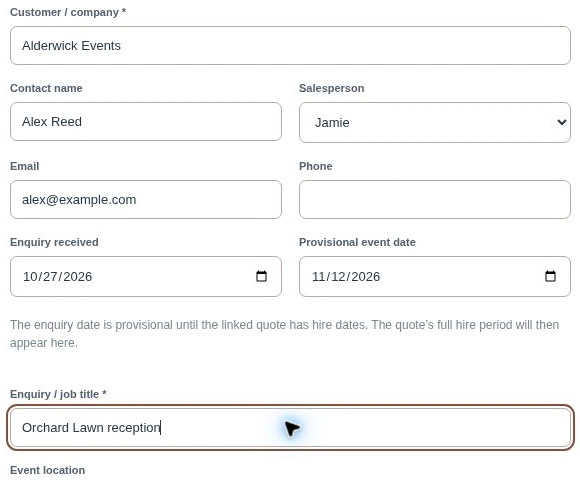
Quote the marquee and its contents together
A marquee quote can include the frame, walls, windows, doors, flooring, linings, lighting and furniture. Use the package builder to put the customer’s requirements together and keep alternative quote options on the same enquiry.
The customer receives a quotation carrying your company branding, with quantities, prices, VAT and the configured deposit clearly presented.
Show the same marquee in 2D and 3D
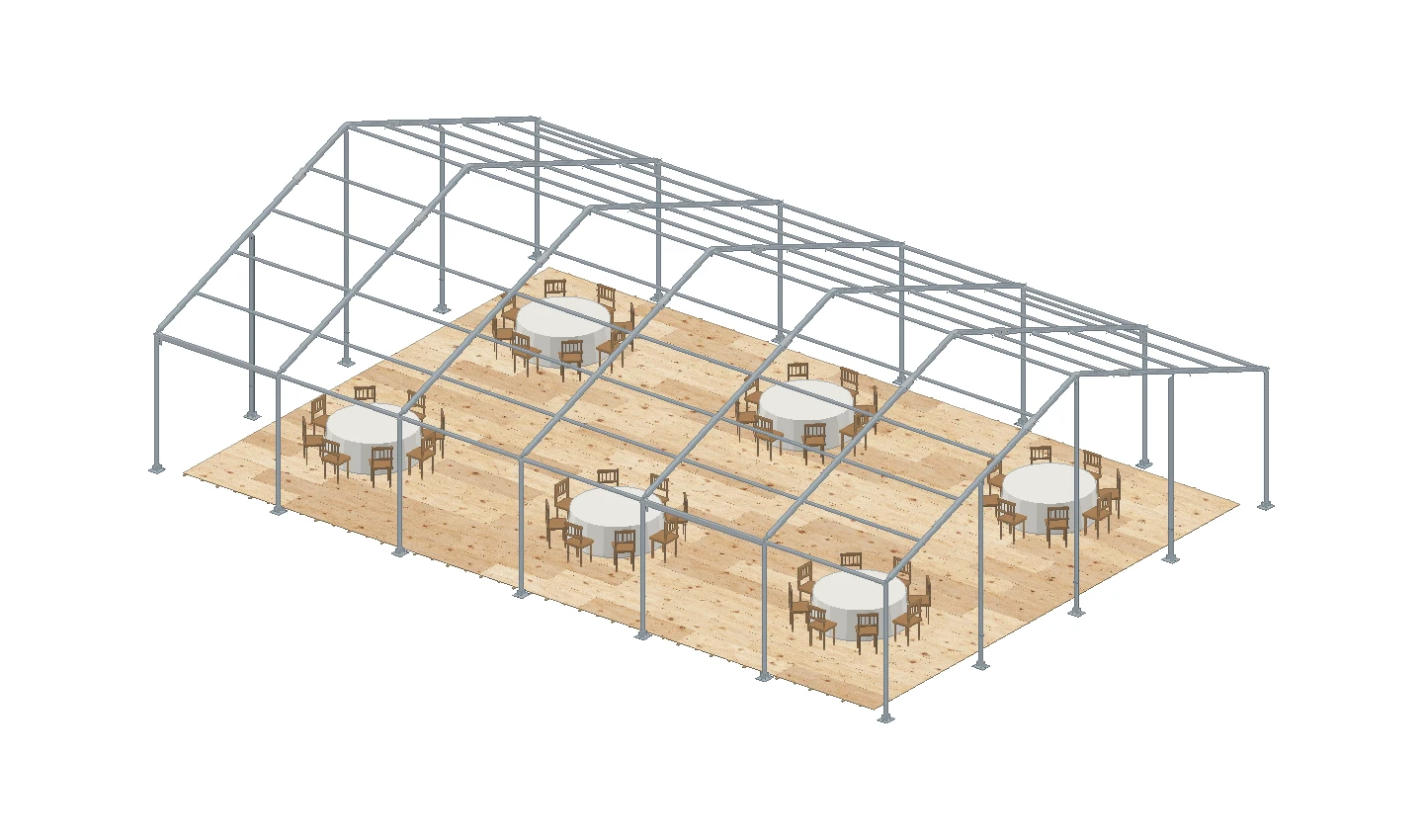
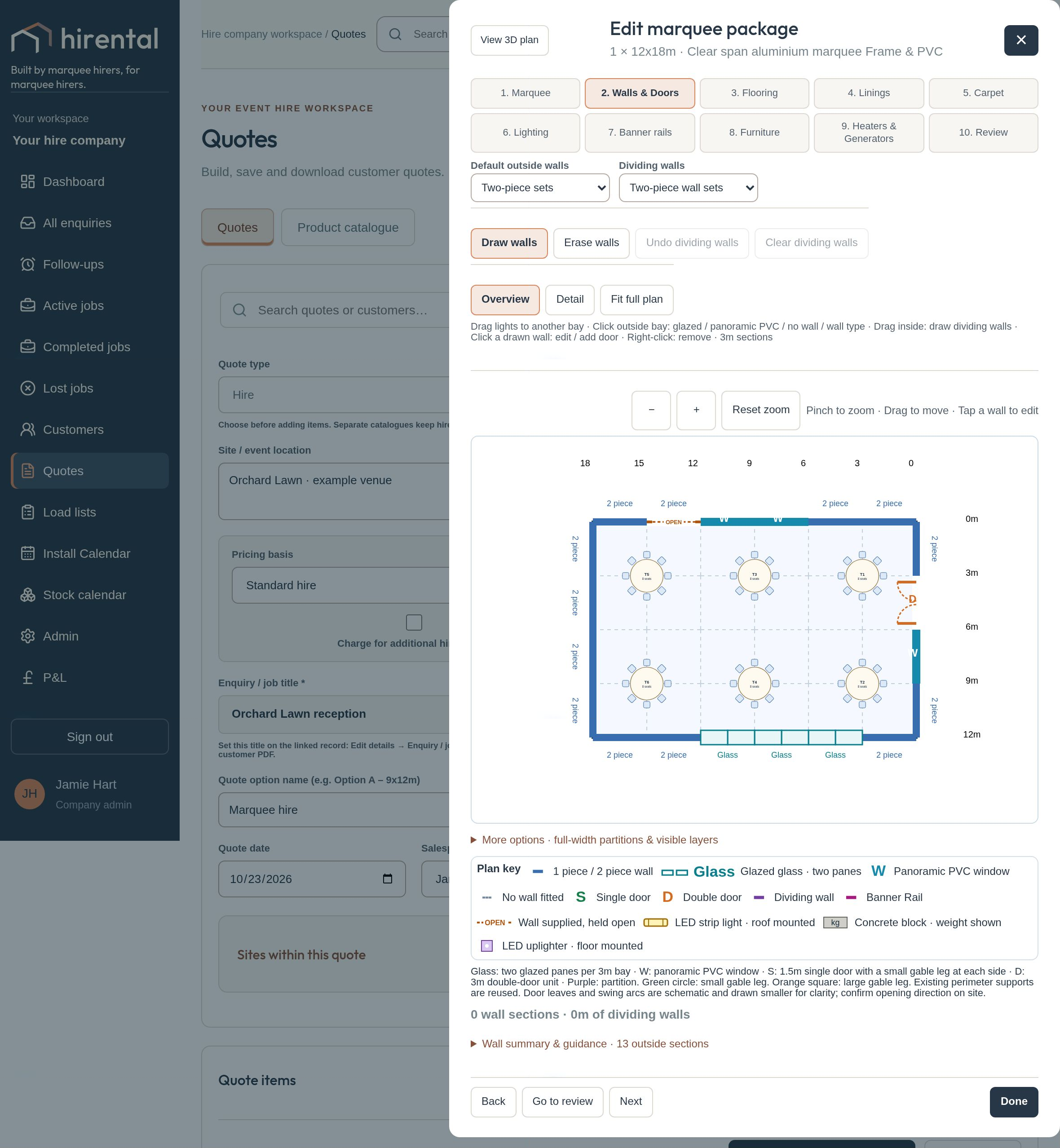
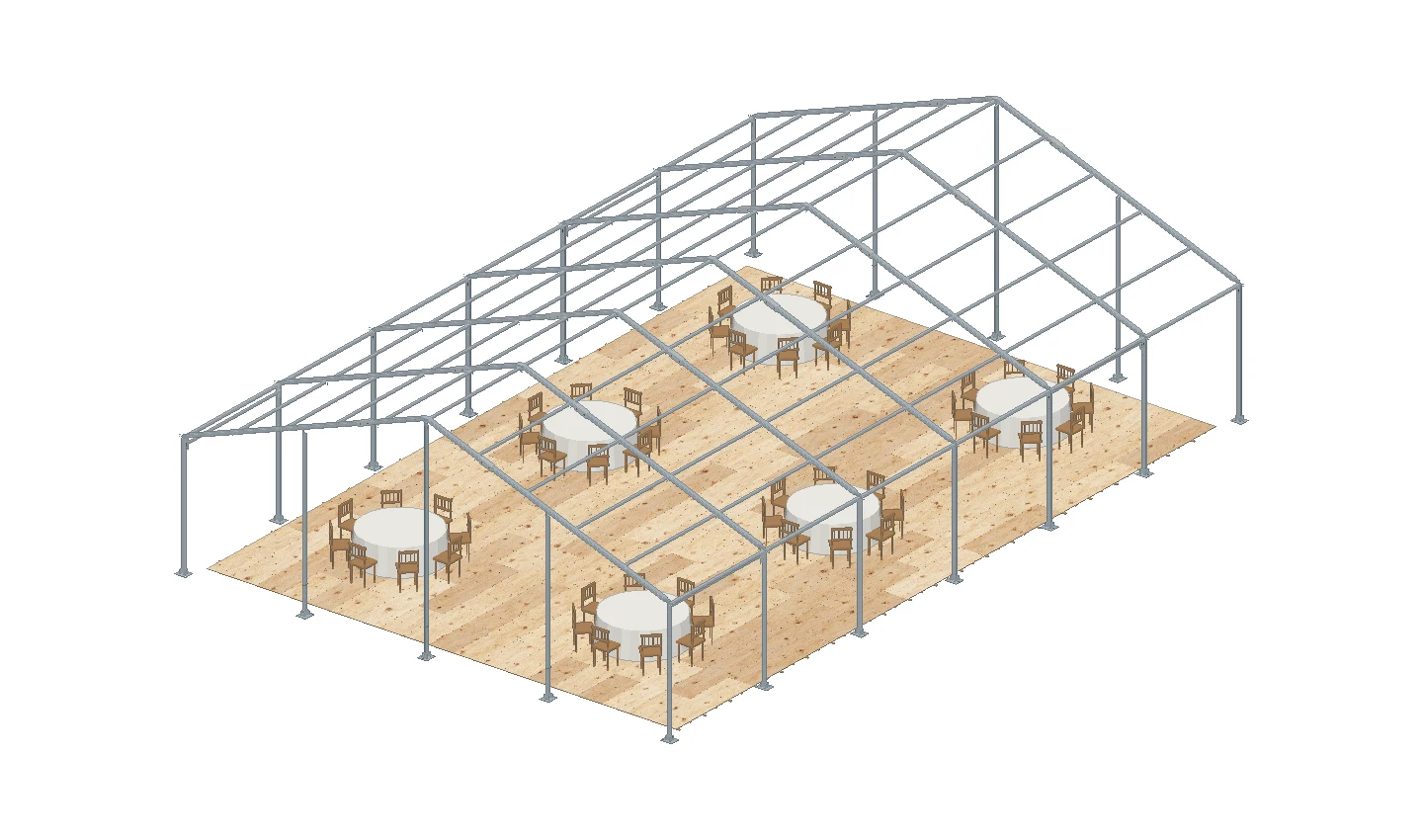
Use the 2D planner to position tables, chairs, entrances and dividing walls. Explore the marquee in 3D to help customers understand the space, the finishes and how their event will fit.
Explore a 2D floor plan and its furnished 3D view to see how changes to the layout appear in both.
Check component stock against the hire dates
Check availability while the job is at enquiry or quote stage. Review what is needed against stock available over the proposed installation and takedown dates.
Component requirements help you look beyond the marquee size to the kit needed to build it. Spot shortfalls early and review the package or arrange sub-hire before committing.
 Stock calendarInteractive example
9–15 November 2026
Stock availability & movements
Select a tile to see the quantities and jobs. Each bar shows how much of your company stock is free.
Swipe the table to see the rest of the week.
Give installers a clear plan to follow
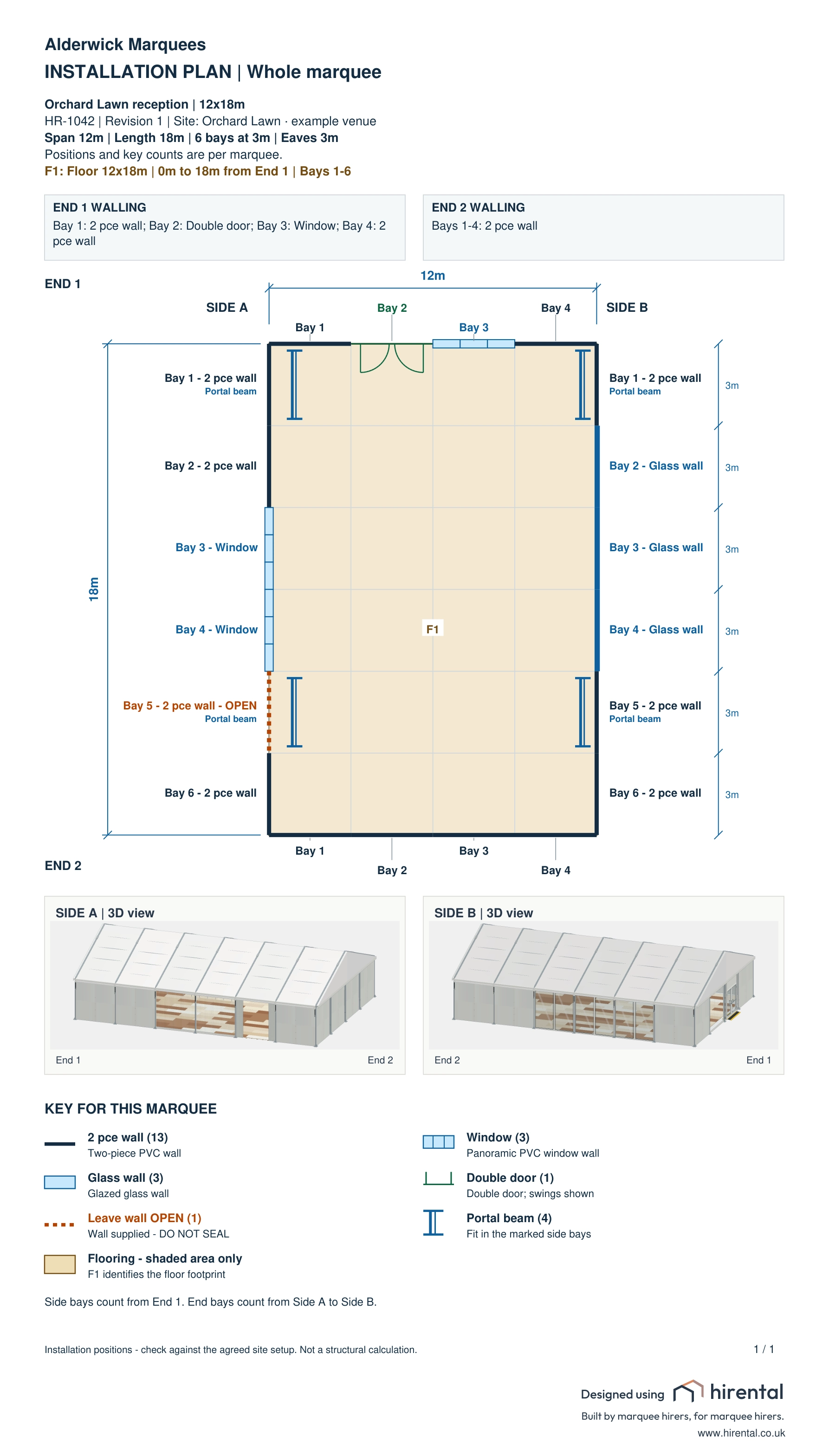
Download printable installation drawings with bay positions, wall types, door openings and the symbols relevant to the build. Side A and Side B views help explain orientation.
Flooring installation sheets show the floor arrangement and fitting details. Warehouse load lists give the team picking quantities for the agreed job.
Does it support more than one site?
Yes. Quotes can contain several sites and marquee packages. Review site-specific load lists and job profitability so the office can follow the work at each location.
Bring a typical hire to your demo, including the size, stock and dates. We will show how it runs through Hirental.
See how Hirental fits your hire business.
Bring us a job. We will walk through the enquiry, quote, stock check and crew handover with you.
Book a Hirental demo ↗Explore event hire software, or email sales@hirental.co.uk.