For event hire companies
Event hire software for the whole job.
Manage customer enquiries, hire quotes, equipment requirements and the warehouse handover in one workspace. Hirental is designed for marquee and event hire companies.
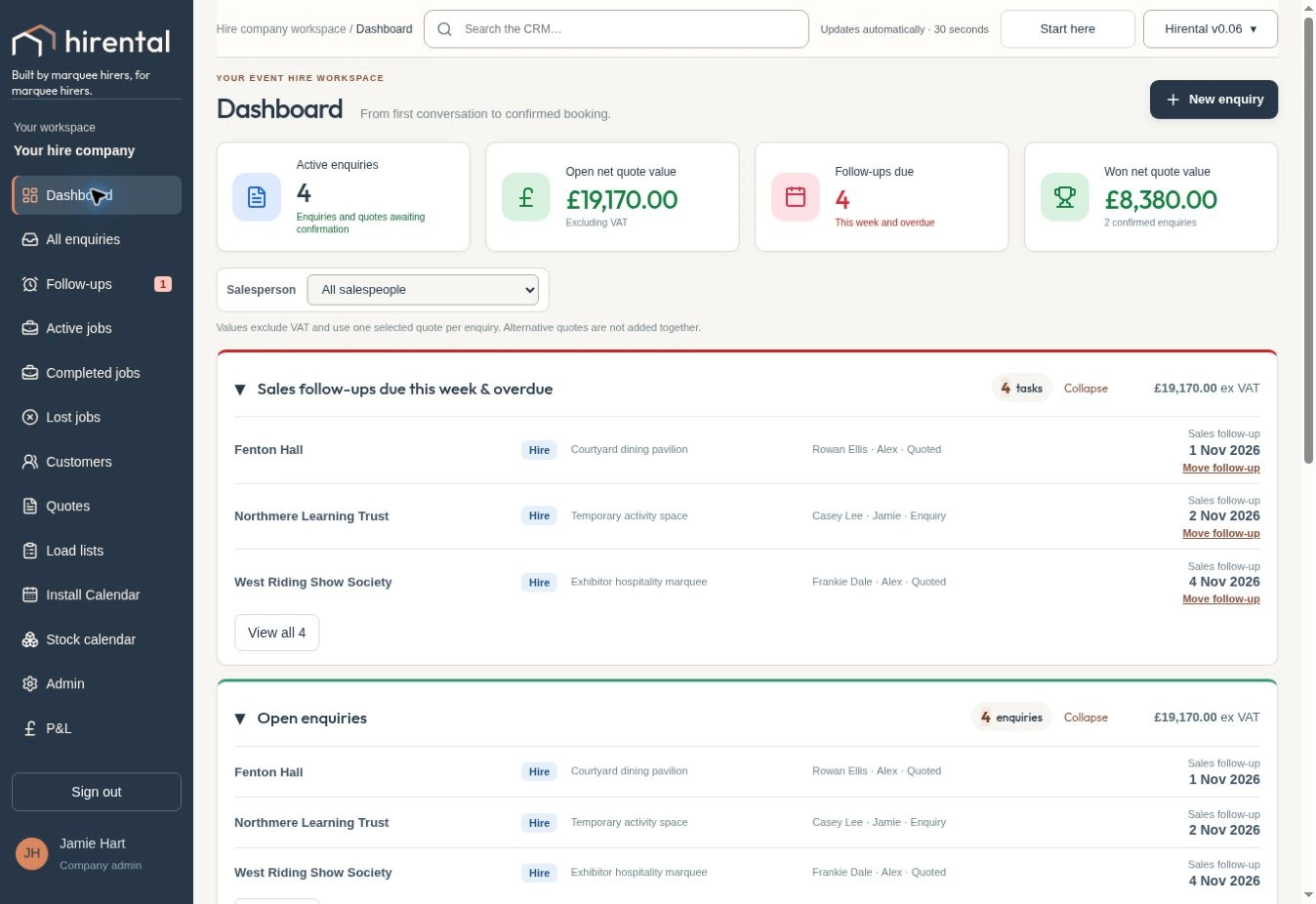
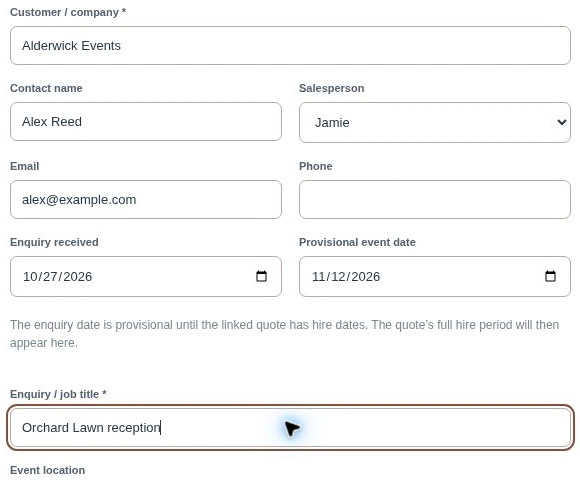
Keep enquiries and customer conversations together
Record the customer, contact, event requirements and next follow-up against the enquiry. Sales follow-ups help the office see who needs a call and which opportunities are still open.
Several quote options can belong to the same enquiry. Keep the customer’s changing requirements and the quote you are progressing together.
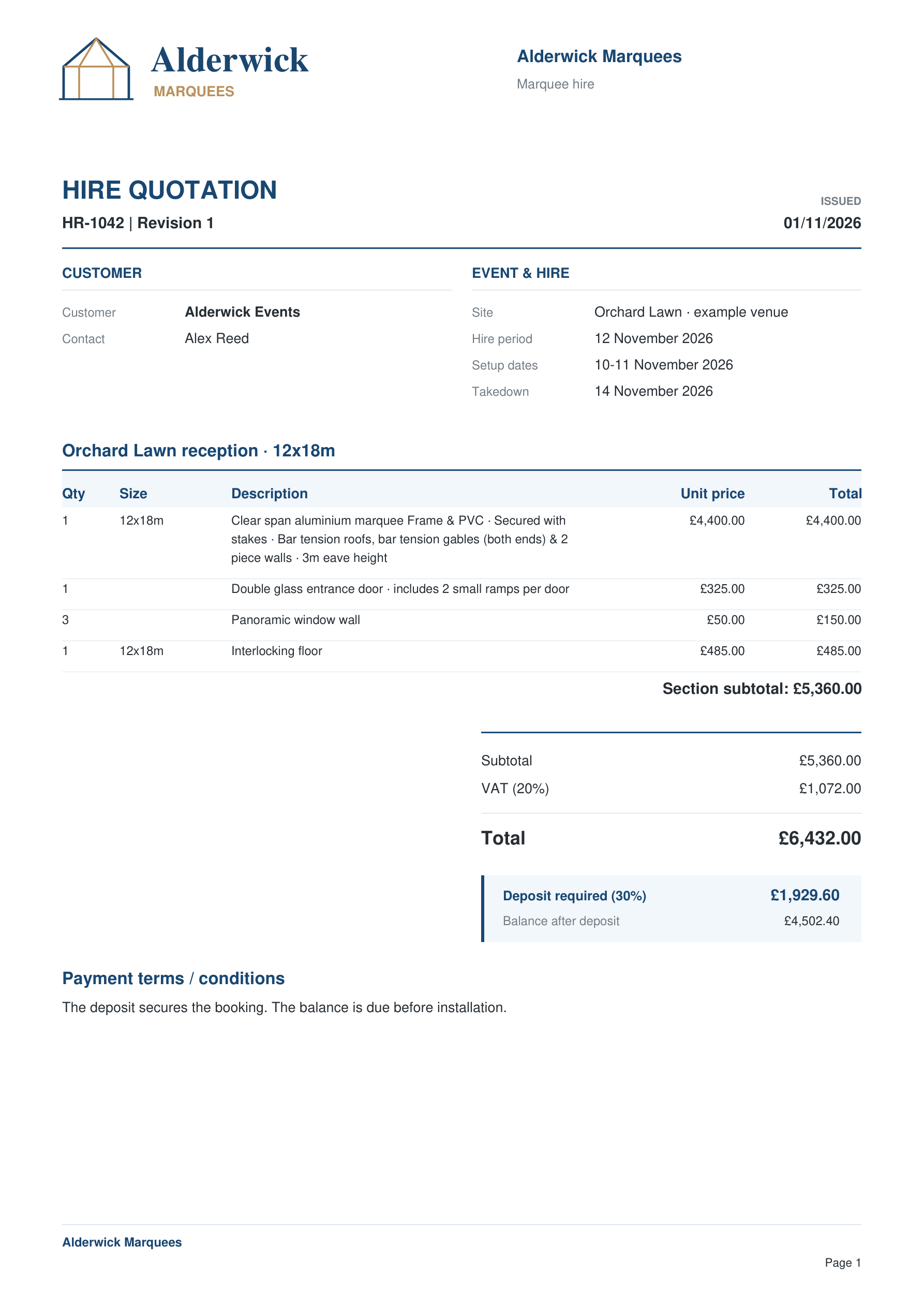
Build a quote around the event
Combine the marquee package with furniture, flooring, lighting and other hire items. Produce a branded customer quotation with clear pricing, dates, VAT and the configured deposit.
For jobs across more than one location, use multiple sites within the quote and review the requirements at each site.
Show customers the layout in 2D and 3D
Place tables, entrances and dividing walls in the marquee plan for a quote. Show the furnished 3D view so customers can see how the space will work for their event.
Explore the planner →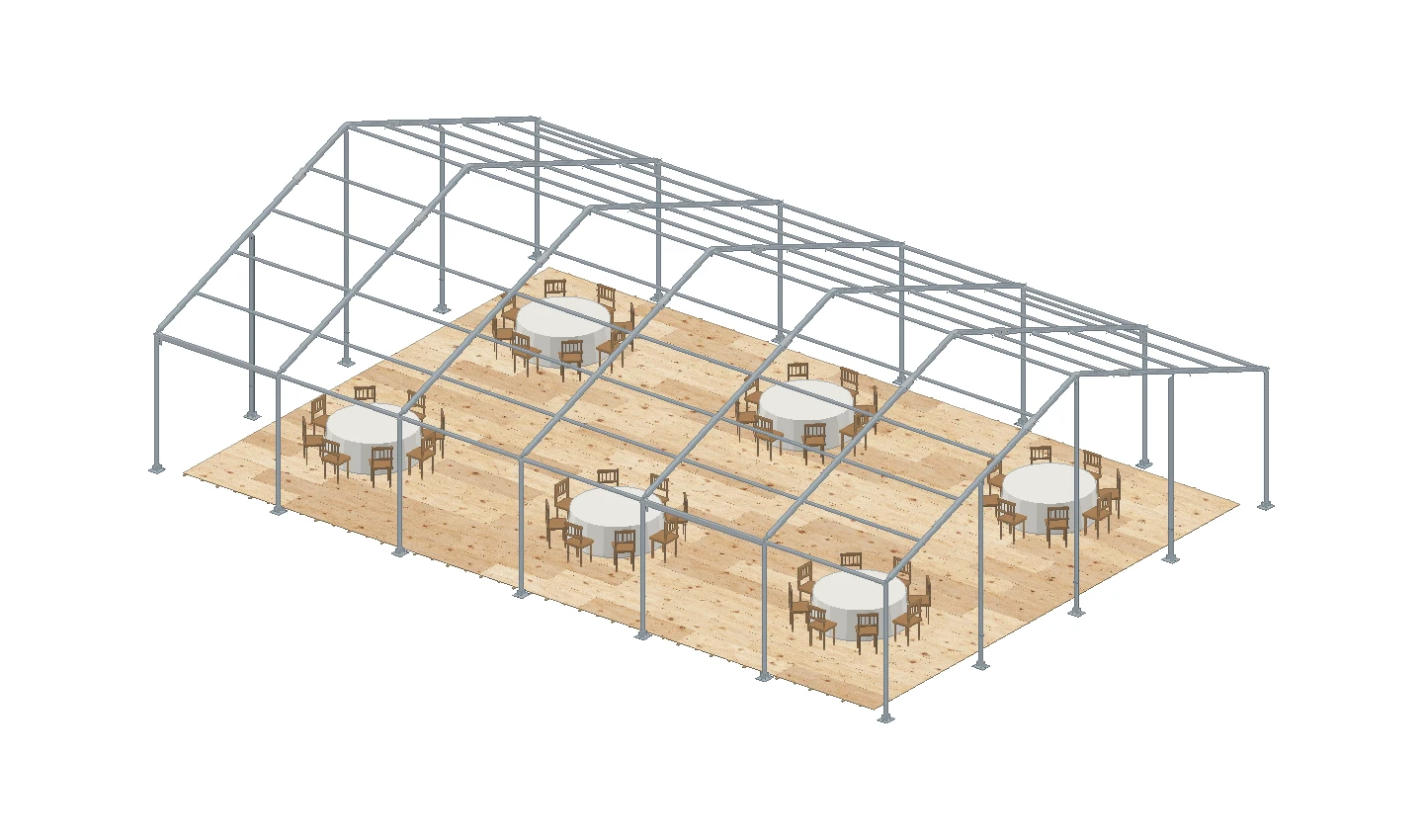
Spot equipment shortages before confirming the hire
Check equipment availability at enquiry and quote stage using the proposed installation and takedown dates. Review current requirements, available stock and any shortfall.
This gives the office time to adjust the quote or arrange sub-hire. The stock calendar helps the team see equipment in use and scheduled returns.
 Stock calendarInteractive example
9–15 November 2026
Stock availability & movements
Select a tile to see the quantities and jobs. Each bar shows how much of your company stock is free.
Swipe the table to see the rest of the week.
Turn the agreed job into warehouse load lists
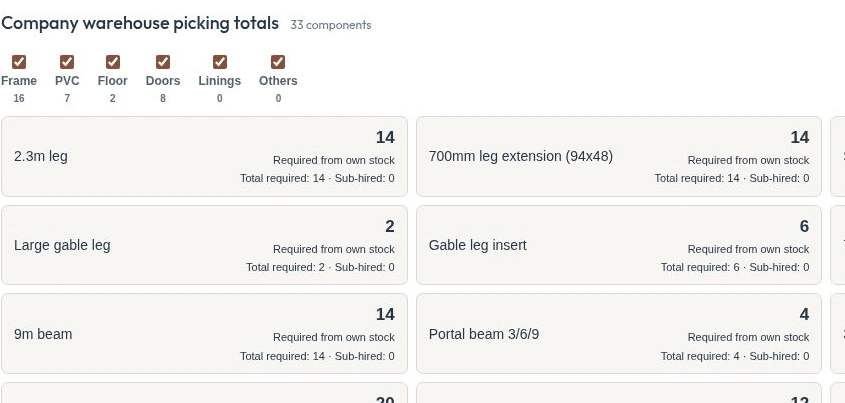
Give the warehouse picking quantities from the agreed hire. Review component requirements and any adjustments before sending the current load list to the team.
For marquee-led events, combine the list with printable 2D layouts, installation drawings and flooring sheets. Customers can also see their marquee in 3D.
Review what each event hire earned
Record estimated and actual job costs and review profitability for the whole job or individual sites. Keep the financial review connected to the work the team delivered.
If your business specialises in marquee structures, explore the dedicated marquee hire software page for more on package building and 2D and 3D planning.
See how Hirental fits your hire business.
Bring us a job. We will walk through the enquiry, quote, stock check and crew handover with you.
Book a Hirental demo ↗Explore marquee hire software, or email sales@hirental.co.uk.