Stock management for event hire
See how much kit is free on each day of a hire. Hirental’s stock calendar accounts for the time equipment is out for installation, the event itself and takedown.
Arrange a demo ↗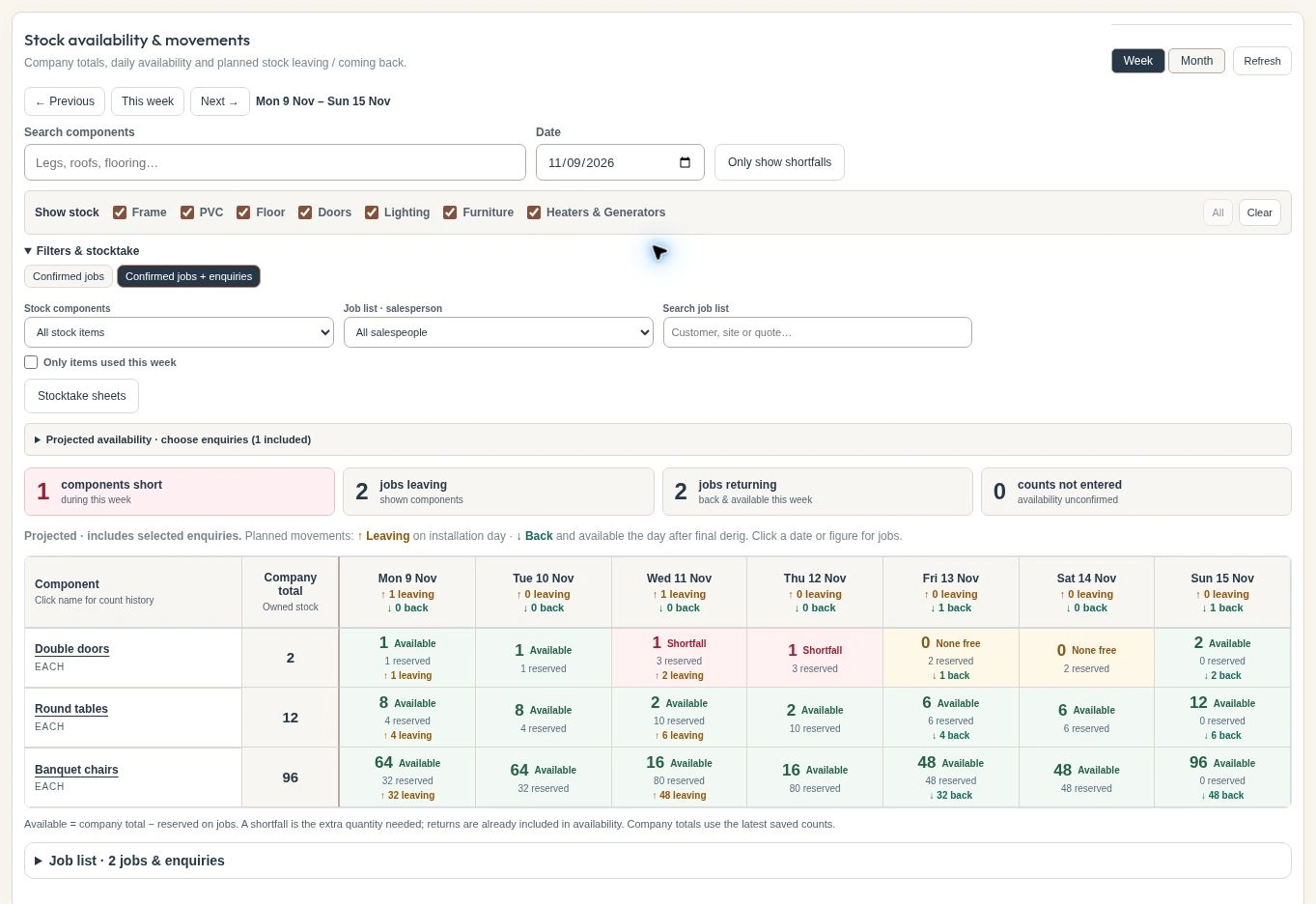
Check the full hire period
Two events on different weekends can still need the same kit on Thursday. Compare both jobs from installation through to takedown and check the specific component, whether that is a double door, a round table or a stack of banquet chairs.
Separate booked stock from possible demand
Start with confirmed hires, then include active enquiries to see what would happen if the quotes were accepted. In the example week, the projected demand leaves one double door short on Wednesday and Thursday. Select a date tile to see the jobs behind the number.
Give the warehouse a picking quantity
Once you know which items are short, you can change the package or arrange sub-hire. The job load list puts the required, available and short quantities side by side. The PDF gives the warehouse the component quantities for picking.